
Many people ask, does iPhone 11 have eSIM, before they switch carriers or buy a used phone. The answer is yes for most models. However, some iPhone 11 phones carry two physical SIM slots and no eSIM at all. This guide shows how to check yours, set it up, and save money on a Lifeline plan.
Does iPhone 11 Have eSIM?
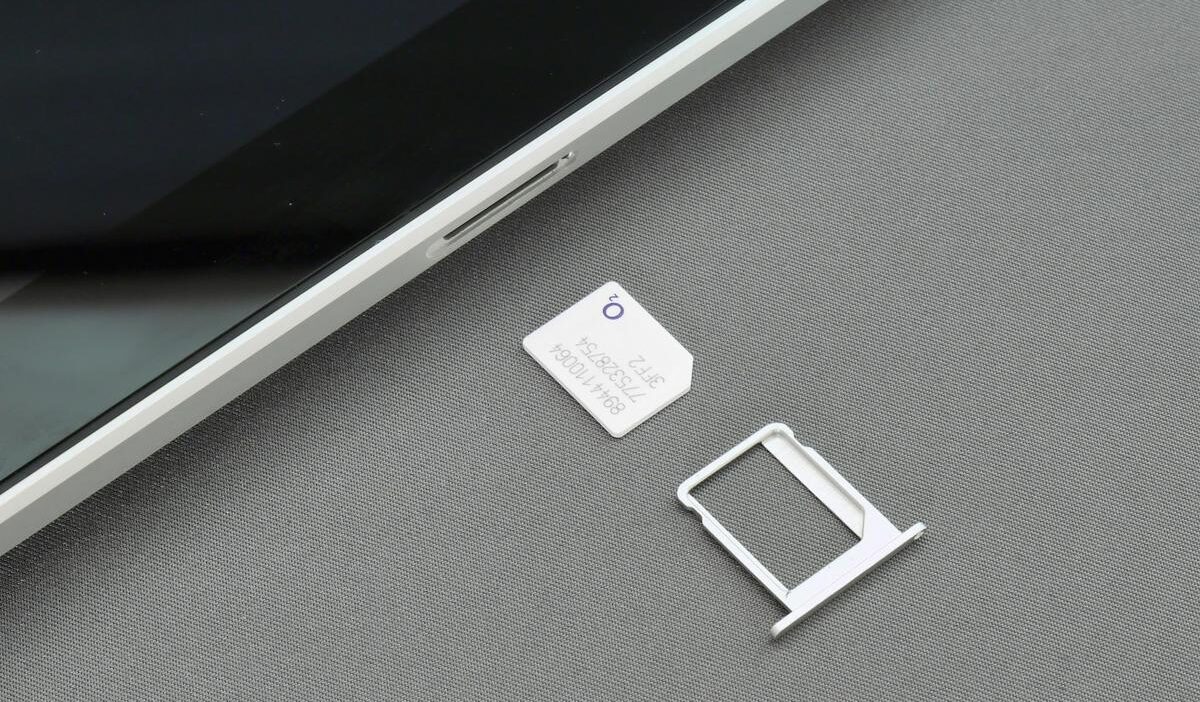
Yes, most iPhone 11 models support eSIM, including the iPhone 11 Pro and iPhone 11 Pro Max. These devices feature Dual SIM functionality, allowing you to use one physical nano-SIM and one eSIM simultaneously.
According to Apple’s SIM compatibility guide, eSIM support depends on the country or region where your iPhone was originally purchased.
Why Some iPhone 11 Models Don’t Support eSIM?
iPhone 11 models sold in mainland China, Hong Kong, and Macao use two physical nano-SIM cards instead of eSIM technology. Therefore, having a Dual SIM iPhone does not necessarily mean it supports eSIM.
The table below shows eSIM compatibility across the iPhone 11 series based on Apple’s official model identification guide.
| Region sold | iPhone 11 | 11 Pro | 11 Pro Max | SIM type |
|---|---|---|---|---|
| U.S. and Canada | A2111 | A2160 | A2161 | Nano-SIM + eSIM |
| China, Hong Kong, Macao | A2223 | A2217 | A2220 | Two nano-SIMs |
| Other regions | A2221 | A2215 | A2218 | Nano-SIM + eSIM |
To confirm your device’s compatibility, go to Settings > General > About and look for an EID (Embedded Identity Document) number. If an EID appears, your iPhone supports eSIM technology.
How Can You Check If Your iPhone 11 Supports eSIM?
Does iPhone 11 have eSIM on your exact unit? You can find out in under a minute.
- Open Settings > General > About.
- Scroll to EID. A long number means eSIM hardware is present.
- Tap Model Number to switch to the A-number, then match it to the table above.
- Open Settings > Cellular. Look for Add eSIM or Add Cellular Plan.
If the EID is missing and the model is A2223, A2217, or A2220, the phone has two physical SIM slots. Sadly, no setting can add an eSIM to it. Otherwise, restart the phone and update iOS before you give up. A missing menu can also be a software glitch.
>>> Read more: Dual SIM Phones: How They Work, Types, and Compatible Devices
Can iPhone 11 Use eSIM and a Physical SIM Together?
Yes. Does the iPhone 11 have eSIM and nano-SIM support at once? It does, and that is its main strength. Apple calls this Dual SIM Dual Standby, so both lines can make and receive calls.
- Calls and texts: Both numbers work for voice, FaceTime, iMessage, and SMS.
- Data: Only one line uses cellular data at a time.
- Two eSIMs: Apple lists this from iPhone 13 onward, not iPhone 11.
Choose your data line in Settings > Cellular > Cellular Data. A work line and a personal line is the most common pairing. Another popular one is a home plan plus a cheap local plan for travel.
How Do You Activate eSIM on iPhone 11?
Does iPhone 11 have eSIM activation like newer phones? Yes, and the steps are very similar. First, confirm that your carrier supports eSIM. Then pick one method.
- Carrier app or link: Follow the carrier prompt.
- QR code: Open Settings > Cellular > Add eSIM and scan the code. On iOS 17.4 or later, you can also touch and hold a code in an email.
- Manual entry: Tap Enter Details Manually at the bottom of the scan screen.
- Quick Transfer: Requires iOS 18.4 or later on both iPhones.
Finish by making a test call. Do not delete the eSIM afterward, because the carrier must issue a new code. Meanwhile, keep Wi-Fi on during setup, since the phone downloads the plan online.
>>> You might be interested in: iPhone 14 eSIM: 2 Lines, Zero SIM Cards, Here’s How
Keep Your iPhone 11, Switch to a Lower-Cost Plan?
If your iPhone 11 still meets your everyday needs, there’s no reason to replace it just to get a more affordable wireless plan. With eSIM support, an unlocked and compatible device allows you to switch carriers without purchasing another phone or waiting for a physical SIM card.
For those looking to reduce monthly phone expenses, the Lifeline program offers another way to save. This federal government assistance program reduces the cost of phone or internet service for eligible households.
You may qualify through Medicaid, SNAP, SSI, Federal Public Housing Assistance, or a household income at or below 135% of the Federal Poverty Guidelines. The benefit is non-transferable and limited to one per household.
As a participating Lifeline provider, AirTalk Wireless allows eligible customers to bring their own compatible devices and enjoy benefits such as:
- $0 monthly phone service for qualifying customers.
- Unlimited talk and text with monthly data.
- Free eSIM activation on compatible devices.
- No annual contracts or credit checks.
- The option to keep your existing phone number.
After approval, AirTalk sends a QR code by email or text. Then open Settings > Cellular > Add eSIM and scan it, the same way as in the activation steps above.
What Is Different About eSIM on iPhone 11 and Newer iPhones?
Does iPhone 11 have eSIM features that match newer models? Mostly, but not all. The core idea is the same, while newer phones add options. Still, the iPhone 11 keeps up well for one eSIM plus one SIM card.
| Feature | iPhone 11 | iPhone 13 and later |
|---|---|---|
| Nano-SIM + eSIM | Yes | Yes |
| Two eSIMs | Not listed by Apple | Yes |
| SIM tray | Yes (most regions) | U.S. iPhone 14 and later have none |
In short, iPhone 11 owners lose little. Travelers who want several eSIM plans at once may prefer a newer model. Everyone else can keep the phone they have.
FAQs
Can You Convert a Physical SIM to an eSIM on iPhone 11?
Yes, if your carrier supports it. Apple says you can convert a physical SIM to an eSIM on the same iPhone. Contact your carrier first, because not all of them offer it.
Does an iPhone 11 Need to Be Unlocked to Use an eSIM?
Only when you use two carriers. Apple says the carrier must unlock your iPhone, or both plans must come from one carrier. Check Settings > General > About for “No SIM Restrictions.”
Does an iPhone 11 eSIM Work When You Travel Abroad?
Yes. Apple says roaming with an eSIM works the same as with a physical SIM. Alternatively, add a local eSIM and keep your home SIM for calls. Just set the right data line.
Is the iPhone 11 Still Worth Using With an eSIM Plan?
For most people, yes. Does iPhone 11 have eSIM support that is good enough for daily use? It does, with calls, data, and dual lines all working. Still, check that your iOS version stays current, because new eSIM features need newer software.
Conclusion
So, does iPhone 11 have eSIM? Yes, unless it was sold in mainland China, Hong Kong, or Macao. Check Settings > General > About for an EID, then add a plan in Settings > Cellular. Keep your phone, pick a cheaper plan, and use Lifeline if you qualify.