Does WhatsApp use your phone number is a common question for anyone who wants to use the app but does not want to connect their personal number. Maybe you want to keep your main line private, separate work and personal messages, or simply understand what happens after you sign up.
The short answer is yes, WhatsApp needs a phone number to create and verify your account. However, that does not always mean you have to use the number you give everyone.
Understanding how WhatsApp uses your number, who can see it, and what alternatives you have can help you set up the app with more confidence.
1. Does WhatsApp Use Your Phone Number?
Yes. WhatsApp requires a valid phone number to create and verify an account. However, it does not have to be your everyday personal number.
Many people asking does WhatsApp use your real phone number are really asking whether they need to connect the same number they use for calls, banking, and personal contacts.
The answer is no. You can register WhatsApp with another number as long as you can receive the verification code.
Depending on your situation, you may use:
- A secondary SIM card
- An eSIM with another phone number
- A business phone number
- A landline number that can receive a verification call in supported cases
The number you register becomes your WhatsApp identity. Think of it like the address attached to your mailbox: WhatsApp uses that number to know where your account belongs, but it does not automatically make that number public to everyone.
2. How WhatsApp Uses Your Phone Number
Your phone number does more than help you create an account. It acts as the key that connects you with WhatsApp’s messaging system.
Unlike some apps that let you create a username and hide your identity behind it, WhatsApp was designed around phone numbers from the beginning. Your registered number helps the app recognize your account, connect you with contacts, and verify that you are the person trying to access it.
Here is how WhatsApp uses your number:
Account creation and verification
When you first create a WhatsApp account, you enter your phone number. WhatsApp then sends a verification code through SMS or a phone call to confirm that you have access to that number.
This step prevents someone else from creating an account using your number without permission.
Contact connections
WhatsApp uses your phone number to connect you with people who already have your contact information.
For example, if a friend saves your number in their phone and that number is linked to WhatsApp, your account may appear in their WhatsApp contacts.
Account identification
Your phone number works as your unique account identifier. WhatsApp does not rely on traditional usernames in the same way many social platforms do.
That is why changing your WhatsApp number is not just editing a profile detail. It requires using WhatsApp’s built-in number-change feature to move your account information to the new number.
3. Does WhatsApp Give Out Your Actual Phone Number?
No, WhatsApp does not publicly post your phone number or make it searchable like a social media username.
However, your number is not completely hidden either.
People may see your number in situations where they already have a connection to your account, such as:
- Someone who already saved your number in their contacts
- People who are members of the same WhatsApp group
- Certain business conversations where your number is part of the interaction
This is why WhatsApp privacy works differently from platforms built around usernames. Your number is not displayed to random strangers, but it remains connected to your account.
If you are joining a large group chat or using WhatsApp for business, it is worth checking your privacy settings before sharing your account widely.
>>> Read more: How to Hide Your Phone Number When Calling or Texting
4. How Can I Hide My Number on WhatsApp?
You cannot completely hide the number connected to your WhatsApp account. The phone number is part of how WhatsApp identifies users.
However, you can control other parts of your profile visibility.
Go to:
WhatsApp > Settings > Privacy
From there, you can manage who can see:
- Profile photo
- About information
- Last seen status
- Online status
- Group invitation permissions
These settings work like curtains on a window. They do not remove the address of your house, but they control how much people can see from the outside.
If your main concern is keeping your personal number separate, using another number for WhatsApp is usually the better solution.
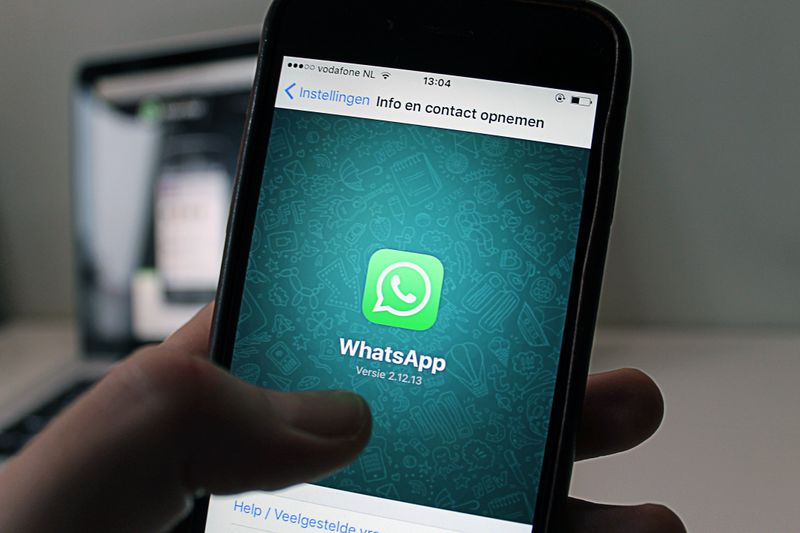
5. Alternatives If You Don’t Want to Use Your Main Number
Not everyone wants their everyday phone number attached to every app they use. The good news is that WhatsApp gives you several options, depending on your needs.
Secondary SIM card or eSIM
A second SIM card or eSIM gives you a separate number dedicated only to WhatsApp.
This option works well if you want to:
- Keep personal and work messages separate
- Avoid sharing your main number widely
- Create a dedicated business communication line
Landline number
In some cases, WhatsApp verification can work with a landline number through voice verification.
This option is more common for businesses that want to connect WhatsApp with an office number rather than a personal mobile line.
However, availability depends on your location and whether WhatsApp can complete the verification process.
Virtual or VoIP numbers
Some virtual numbers may work with WhatsApp, but reliability can vary.
WhatsApp needs to verify that you can receive a text message or phone call. Some virtual numbers may not support verification or may stop working if the provider changes its service.
For the most reliable setup, a number you personally control, such as a SIM card or eSIM, is usually the safer choice.
Remember that if you change the number linked to your account later, you should use WhatsApp’s official Change Number feature. Simply replacing the SIM card does not automatically move your account.
>>> Read more: Dual SIM Phones: How They Work, Types, and Compatible Devices
6. Frequently Asked Questions
Q1. Can I use WhatsApp without my phone number?
No. WhatsApp requires a valid phone number to create and verify an account. However, it does not have to be your main personal number. A secondary SIM, eSIM, or another accessible number may work instead.
Q2. Can I use WhatsApp without exposing my phone number?
Not completely. Your phone number remains connected to your account and may be visible in situations like shared group chats. Using a separate number for WhatsApp is the most reliable way to keep your main number private.
Q3. Does WhatsApp use your regular phone number?
It depends on which number you register. WhatsApp uses whatever number you provide during account setup, whether that is your regular phone number or a separate number created specifically for WhatsApp.
Q4. Is it safe to give WhatsApp your phone number?
Generally, yes. WhatsApp does not make your number publicly searchable, and messages and calls are protected with end-to-end encryption. However, your phone number remains part of your account identity, so review your privacy settings if you want more control over who can see your information.
Conclusion
Does WhatsApp use your phone number? Yes, because your number is the foundation of how WhatsApp creates and identifies your account. However, using WhatsApp does not mean you have to expose your everyday personal number to everyone.
Whether you choose your regular number, a second SIM, or another verified option, the best choice depends on how you plan to use the app. Once you understand how WhatsApp connects your account to your number, protecting your privacy becomes much simpler.